Bruno
Doesn’t support restore UI state
API Client similar to Postman
Download https://www.usebruno.com/
winget install bruno.brunoHoppscotch
winget install hoppscotch.hoppscotchSupports individual collection import (not full Postman import).
Importing Collections
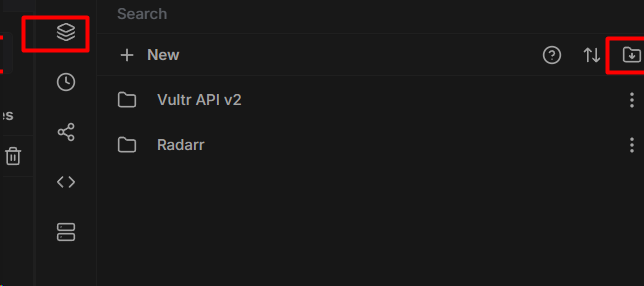
- Supports Postman and OpenAPI import.
Adapting the API
Use Secrets and Variables to set API keys and base URLs.
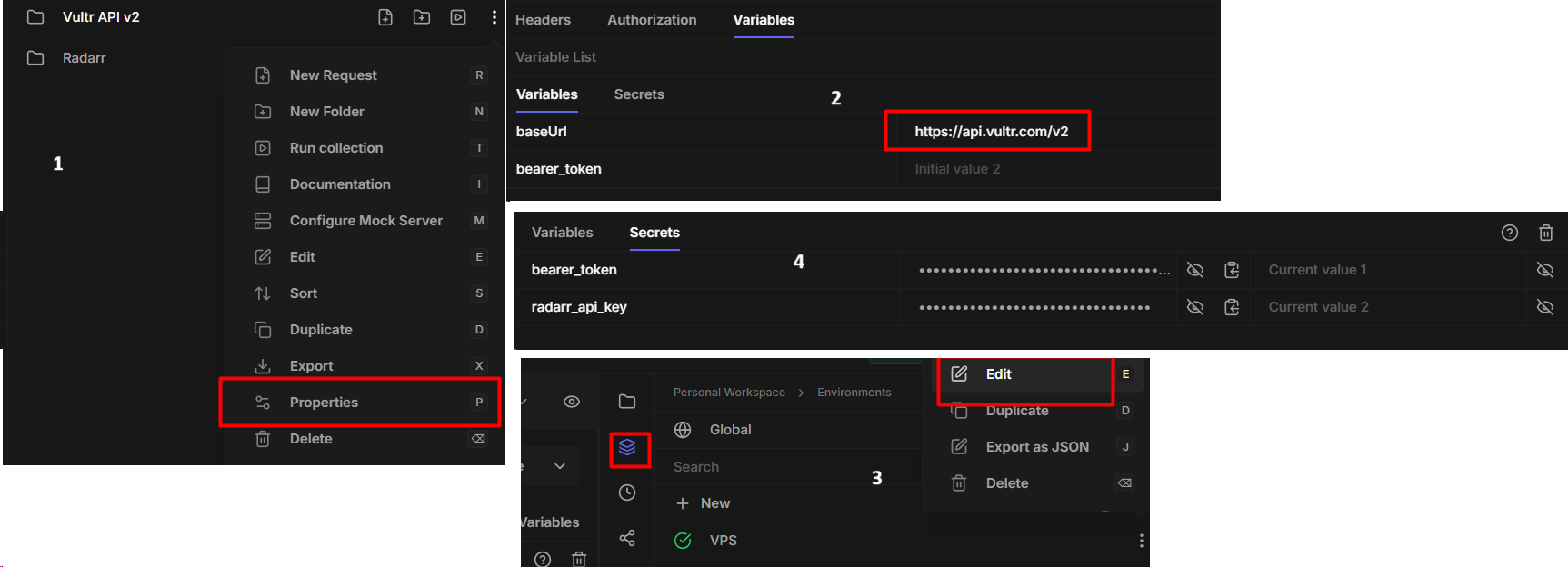
- Check the properties.
- Verify or create variables for base URL and API keys.
- Create or edit an environment.
- Update environment-specific secrets or variables.
Hoppscotch uses <<>> for variables, not {{}}.

OpenAPI
When importing plain OpenAPI, auth types reset. Use this script to fix the export (default location is Downloads).
import sys
import json

file = sys.argv[1]
with open(file, 'r') as f:
    data = json.load(f)

folders = data['folders']
allrequests = [rq for folder in folders for rq in folder['requests']]

for rq in allrequests:
    rq['auth']['authType'] = 'inherit'

with open(f'{file}', 'w') as f:
    json.dump(data, f, indent=4)

print(f"Updated {len(allrequests)} requests in {file}")- Export the imported OpenAPI specification.
- Run the script in the
Downloadsfolder. - Re-import the updated JSON file.
You may need to change the base URL if it is hardcoded in the OpenAPI spec.
Example (Radarr OpenAPI):
},
  "servers": [
    {
"url": "<<radarr_base_url>>",- The URL was replaced with
<<radarr_base_url>>so Hoppscotch can resolve it.
Using an API
- Ctrl+Enter sends a request.
Ctrl+Backspace does not delete a word. It clears the response content and cannot be changed.
Supports jq syntax for filtering.
Sync on Another Computer
%appdata%\io.hoppscotch.desktopCopy this folder to another machine.
Requestly
winget install browserstackinc.requestlyImport from Postman
Accounts → Settings → Export your data
In Requestly
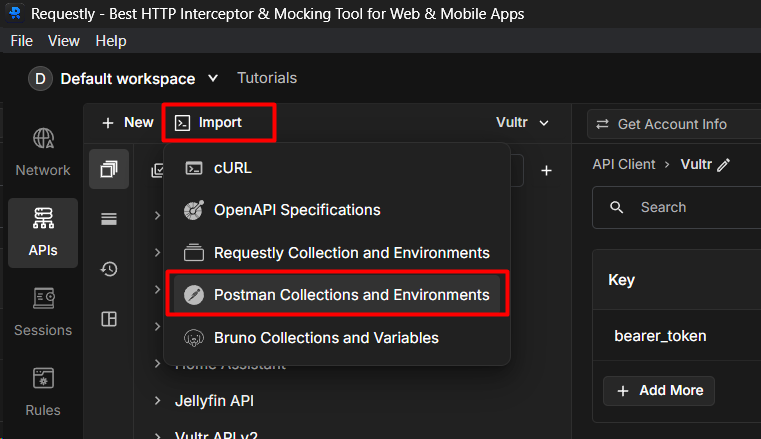
Warning: default workspace import doesn’t save the files and environments, you must create a new workspace
Bugs with path variables, not working